Types for luau-lsp for lua in secondlife
See here and here for more information about lua in secondlife.
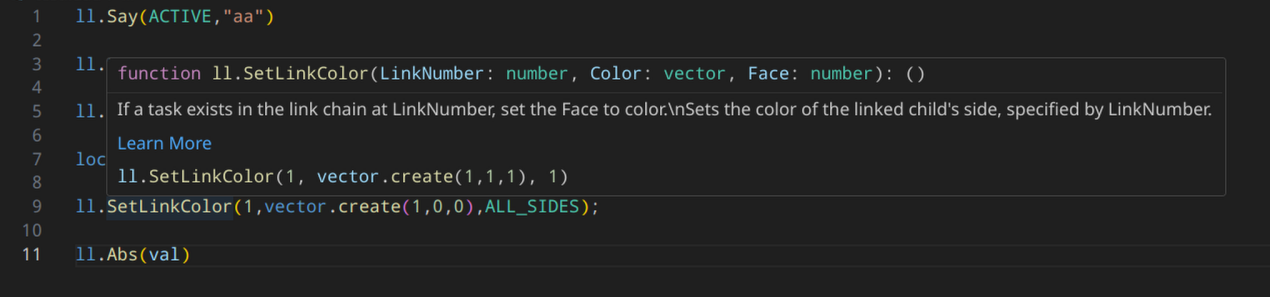
Created with plenty of help and original findings from @gwigz
VSCode installaion
Setup luau-lsp (Inline type checks, code completion, some linting)
Work is happening to add support for setting urls for definitions in the vscode extension, to allow automatic updating of the definitions. For now you will need to update them manually. When they change
-
Install vscode
-
Install this extension (github link)
-
Download a
sl_lua_types.zipfrom here -
Extract and place those files somewhere memorable (
<user_dir>/.sl-luau/for instance) -
Then Either globaly or in your project add the 2 files to the options with the following config
"luau-lsp.types.definitionFiles": [
    "~/.sl-luau/ll.d.luau"
],
"luau-lsp.types.documentationFiles": [
    "~/.sl-luau/ll.d.json"
],
"luau-lsp.platform.type": "standard"
or through the UI
-
You may need to restart vscode or reload the ui
Setup Selene (linting)
- Install this extension to vscode (github link)
-
Add the the
sl_selene_defs.ymlto your project (Suggest :./types/sl_selene_defs.yml) - Create a
selene.tomlin the root of your project with the following contentstd = "types/sl_selene_defs" [rules] global_usage = "allow" shadowing = "allow" [config] empty_if = { comments_count = true } unused_variable = { ignore_pattern = "^_|^touch_start$|^touch_end$|^touch$" } - Selene should pick this up and start giving you linting hints.
Recommendations
- this Extension for inline errors (github link)